
Wish you could clone yourself for better productivity?
Managing any work in general takes more time than it should. Chasing someone for an approval. Figuring out who is supposed to act next. Searching through email to piece together what happened on a case three weeks ago.
Most of that time is not spent on the actual work. It is spent on the coordination around it. Structured workflows cut that down significantly. Here is where the difference shows up most.
Five ways workflows make your team more productive
You design a workflow once and reuse it every time
Ownership is always clear
Approvals happen inside the workflow, not in email
The full history of every workflow is always visible
Tasks, documents, and contacts connect to the workflow they belong to
Here is what each one looks like in practice.
1. You design a workflow once and reuse it every time
A workflow is a structured, step-by-step sequence that defines how a piece of work moves from start to finish. Each step has a clear action, an owner, and a defined outcome before anything moves forward.
Every repeatable process your team runs starts the same way. Same steps, same checkpoints, same information to collect. The problem is that without a system, each new instance gets rebuilt from scratch. Someone starts an email chain. Someone else creates a folder. The process exists, but it lives in different places every time.
Workflow templates let you design a workflow once and run it for every new client or case from that point forward. The steps are defined. The transitions are configured. The custom fields that collect the right information at each stage are already in place. When a new workflow starts, the structure is already there.
This matters most when the team grows. A new team member does not need to learn the workflow from a colleague or a document. The workflow is the documentation.
2. Ownership is always clear
The most common reason something stalls is that nobody is sure whose turn it is. A step was completed, something was submitted, and now the file sits waiting while two people each assume the other is handling it.
When each step in a workflow is assigned to a specific person, there is no ambiguity. When a step becomes active, the assigned person knows it is on them. Nobody has to check in to find out what is pending. Nobody has to send a message asking who is responsible. The workflow carries that information.
Ownership at the overall level matters too. Every active process should have a named owner who is accountable for it moving forward, separate from whoever is assigned to individual steps.
3. Approvals happen inside the workflow, not in email
A workflow with an approval step means nothing moves forward until the right person signs off. The problem is that most teams run those approvals through email, which is where they get buried.
The fix is to keep approvals inside the workflow itself. When a step is submitted, the assigned reviewer approves or rejects it directly in the platform. If approved, the workflow moves to the next step automatically. If rejected, the step goes back for revision, with the rejection reason attached so the person who submitted it knows exactly what to address.
The approval becomes a documented action inside the workflow, not a thread in someone's inbox that gets lost within a week.
4. The full history of every workflow is always visible
A workflow is only as useful as the visibility it provides. When a client asks where their case stands, the answer should take seconds. When a handoff happens mid-workflow, the person taking over should be able to open the record and understand exactly what has happened without a briefing.
That requires a complete audit trail. Every submission, approval, rejection, and status change logged with a timestamp and the name of the person who took the action. The history does not need to be assembled from email threads or reconstructed from memory. It should already be there.
This matters for compliance and accountability too. If a question comes up about a decision made weeks ago, the record shows exactly what happened and when.
5. Tasks, documents, and contacts connect to the workflow they belong to
Information that is not connected to anything useful becomes noise. A document saved in a folder that nobody labels consistently. A task created for a client but disconnected from the project it belongs to. A note that makes sense today and means nothing in three weeks.
The right setup is to have tasks, documents, and contacts attach directly to the workflow they are part of. When you open a process, everything related to it is in one place. The files collected at intake, the tasks assigned during execution, the contacts involved. Nothing has to be cross-referenced or hunted down.
It also works in the other direction. When you open a contact record, you should be able to see the workflows that contact is part of. The contact database and the workflow layer connected, not two separate systems you have to jump between.
If you are looking for a tool that works this way, HiWork combines a CRM with structured, approval-based workflows, all in one platform. Easy to start, no credit card required.
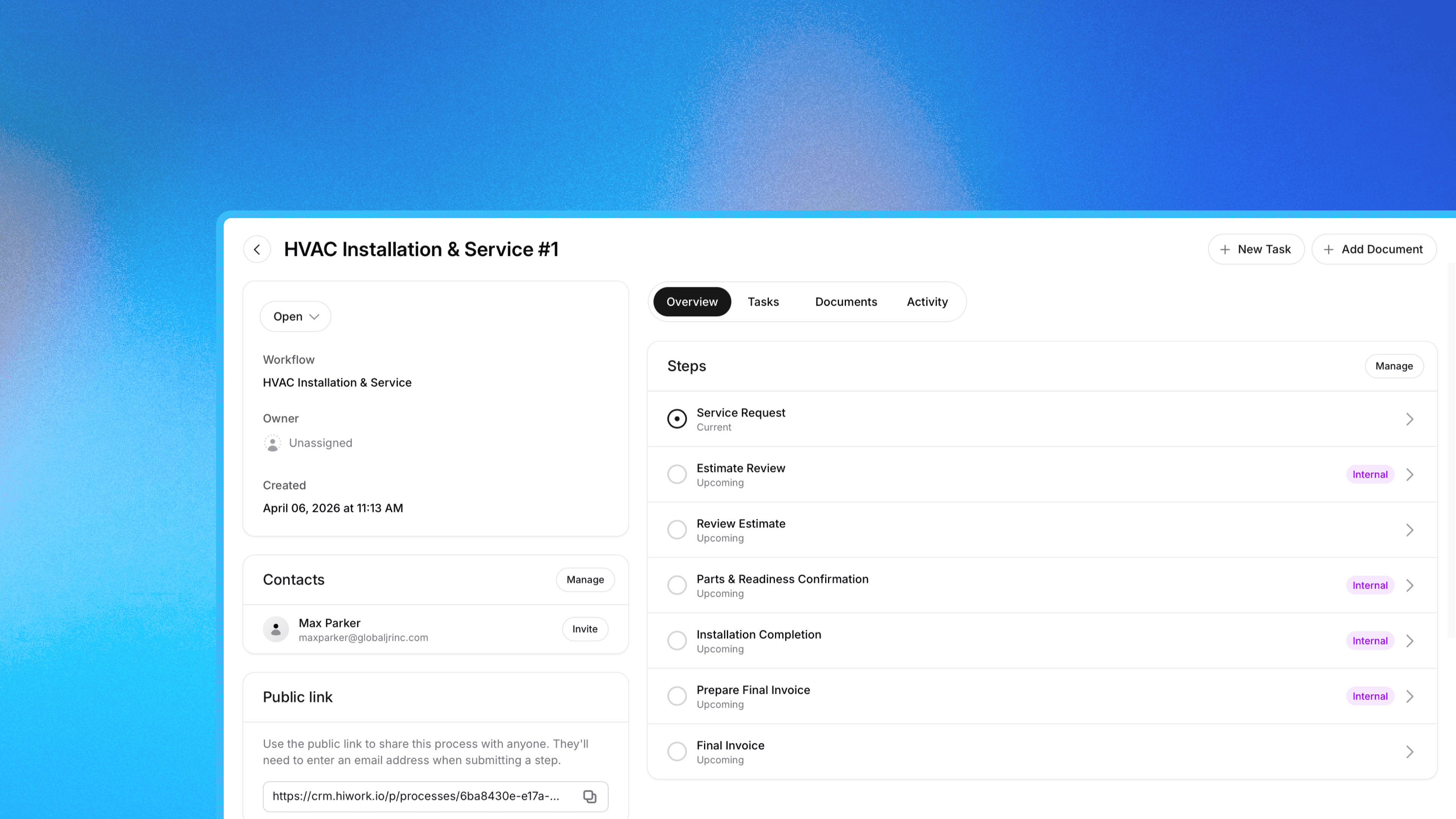
If you've ever tried to look up "approval workflow software" and walked away confused, you're not alone.
The term gets used to describe everything from basic automation tools to enterprise BPM platforms. None of that is helpful if you just want a better way to manage client work.
This post explains what approval workflow software actually is, how it differs from the tools you're probably already using, and why teams that manage structured client processes keep ending up here.
What approval workflow software is not
Let's clear this up first.
Approval workflow software is not project management. Task boards and timeline tools are great for tracking internal work. They're not built for moving clients through a structured process where approvals happen at defined steps.
It's not a CRM either. A CRM stores contact information and tracks your relationship history. It tells you who your clients are and when you last talked to them. It doesn't tell you where each client is in your intake process, or who needs to sign off before work can move forward.
And it's not email or chat. Those tools handle communication. They don't handle process. The moment you try to manage client approvals through email threads, you lose the audit trail, the accountability, and any sense of what's actually pending.
So what is workflow software?
Workflow software is a tool that moves people and information through a defined sequence of steps, with clear ownership, approval checkpoints, and a complete record of what happened at each stage.
The core idea is simple: some work has a structure to it. A client intake isn't just one task. It's a sequence. Collect information, review it internally, approve or request changes, pass it to the next person. Workflow software gives that sequence a home. Each step has an owner. Each transition requires a submission or approval. Nothing moves forward until the right person signs off.
The result is a process you can actually track. You know which clients are waiting on you. You know which ones are waiting on your team. You know where things are stuck and why.
How approval workflow software works in practice
In practice, approval workflow software has a few core components:
Workflow templates. You design the process once: the steps, what information gets collected at each one, and how work moves forward (automatically, on approval, or on rejection). That template becomes reusable for every new client.
Process instances. Each client, case, or engagement gets their own instance of the workflow. You can see all active processes at once, or drill into any one to see exactly where it stands.
Approvals and rejections. At defined steps, a team member reviews a submission and approves it (moving things forward) or rejects it (sending it back). Approvals are not buried in email threads. They are logged events with timestamps.
Audit trail. Every action is recorded. Who submitted what, when it was approved, what was attached. This matters for compliance, for handoffs, and for the inevitable "wait, what happened with this client?" conversation.
Custom fields. Each step can collect specific information. An intake form collects contact details. A review step might require a signed document. Information is captured where it belongs in the process, not scattered across inboxes.
5 reasons businesses need approval workflow software
1. Spreadsheets do not track approvals
Most teams start with a spreadsheet. It works for a while. You can see who is in what stage, update statuses manually, color-code by priority. The problem shows up the moment your process has any real complexity.
Spreadsheets cannot tell you who approved something, or when. They cannot enforce that a step actually happened before the next one starts. They have no memory of the back-and-forth, no attached documents, no notes from the review. When something goes wrong, or a client asks what happened to their case, you are digging through email hoping someone wrote it down.
Client approval software makes the approval an actual logged event, not a color change in a cell.
2. Email kills visibility
"Can you approve this?" threads are the graveyard of client operations. Someone sends a request, it gets buried, a week goes by, nobody followed up. Or someone approved something in an email that three other people never saw. Or the person responsible was on vacation and nobody knew.
When approvals live in email, visibility depends entirely on everyone's inbox discipline. That is not a system.
Approval workflow software puts every pending decision in one place, assigned to a specific person, with a timestamp. If something is sitting idle, you can see it immediately.
3. "Who is responsible for this?" gets a real answer
This question kills more time than most people realize. A client moves through intake, goes quiet for a week, someone follows up, only to find that three people assumed someone else was handling it.
Workflow software assigns each step to a person. When that step is active, one person owns it. The handoff is explicit, not assumed. Everyone knows what is theirs, right now.
4. Your process becomes reusable
When your client process lives in someone's head, or in a document nobody reads, or in an ad hoc set of email templates, it does not scale. Every new team member reinvents it slightly differently. Every new client is a minor experiment.
Approval workflow software means your process is documented by default. The steps are defined, the checkpoints are built in, and the information you need at each stage is specified. Onboarding a new team member means showing them the tool, not hoping they absorb months of institutional knowledge.
5. You get a record of everything
Compliance questions, client disputes, internal handoffs are all easier when every action in a process has a timestamp and an owner.
"What did we collect at intake?" is answered by the workflow record. "Who approved this?" is logged. "When did we send that?" is logged. The audit trail is automatic, not something you have to build separately.
This is one of the biggest practical differences between structured client workflow software and running the same work through email and spreadsheets.
Who this is actually for
Approval workflow software used to mean expensive enterprise tools, the kind that cost thousands per month and required IT to configure. That is changing.
Small to mid-sized teams that manage clients through any kind of structured process, whether that is intake, onboarding, review cycles, or approvals, now have options built for their size. Not the enterprise version. Tools you can set up yourself in a day.
HiWork combines contact management with structured, approval-based workflows in one platform. Your client records and your client process live in the same place. You design the workflow once, run it for each client, and the tool handles step assignments, approvals, document collection, and the audit trail.
If you are still managing your client process through a spreadsheet and an email thread, it is worth seeing what structured client workflow software actually looks like.
Frequently asked questions
What is approval workflow software? Approval workflow software is a tool where work moves forward only after a designated person reviews and approves a submission at each step. Instead of chasing approvals through email, every pending decision is visible, assigned, and timestamped in one place.
How is approval workflow software different from project management software? Project management tools track tasks and timelines for internal teams. Approval workflow software is built around structured processes with submissions, approvals, and routing, where each step requires a specific action before the next one begins. They solve different problems.
What is client workflow software? Client workflow software is a tool that moves clients or cases through a structured, step-by-step process with defined ownership and approval checkpoints at each stage. It replaces spreadsheets and email chains as the system of record for how client work gets done.
Do businesses really need approval workflow software? If you manage clients through more than one or two steps, such as intake, review, approval, and delivery, and you are tracking that in a spreadsheet or email thread, yes. The cost of missed steps, errors, and unclear ownership adds up fast. Approval workflow software makes those processes reliable without adding overhead.
What kinds of teams use client workflow software? Any team that moves clients or cases through a repeatable, multi-step process with reviews and sign-offs along the way. If your current process involves a spreadsheet and an email thread, you are a good candidate.
Is approval workflow software the same as a CRM? Not exactly. A CRM manages contact and relationship data. Approval workflow software manages the process each client moves through. Some tools, like HiWork, combine both, so your client records and your client workflows live in one place.

We review 5 personal CRM options for small business owners, focusing on fast onboarding and simplicity.
For business owners, client and contact relationships are the foundation of everything. The follow-up that turns a lead into a client. The check-in that keeps a relationship warm. The note from a past conversation that makes the next one feel personal. Keeping track of all of that consistently is what separates businesses that grow through relationships from ones that constantly start from scratch.
Studies show that nearly 70% of new business opportunities come from existing relationships and referrals, which means the way you manage those relationships has a direct effect on growth. The problem is that most CRM software is built for large sales teams, not business owners. Multi-stage pipelines, automation rules, reporting dashboards, integrations with dozens of other tools. Powerful, but overwhelming for someone who mostly needs to stay organized and follow up reliably.
Personal CRM software takes a different approach. The focus is on simplicity, fast setup, and just enough structure to manage contacts, track notes, and stay on top of what needs to happen next, without the learning curve of enterprise software.
Most business owners do not have time to trial every CRM on the market and compare the details. So we did it for you. We narrowed the field to five options that balance usability, features, and price for teams that are not running a large sales operation.
In our research, we found that the best personal CRMs for business owners share four qualities:
Fast onboarding: you can get started in minutes, not days.
Simplicity: the design reduces clutter instead of adding to it.
Flexibility: you can adapt the system to how you work without complicated setup.
Pricing: it fits the budgets of individuals and small to mid-sized teams, not enterprise sales organizations.
With those in mind, here are the five we recommend.
1. HiWork
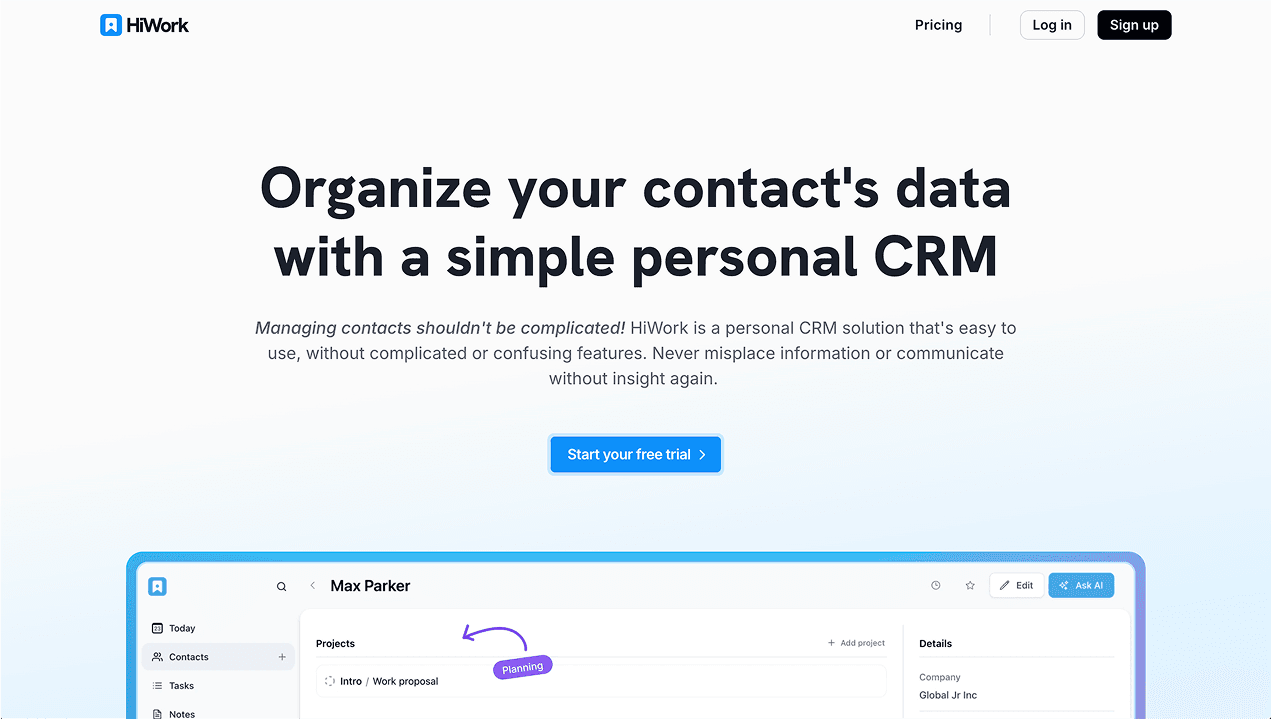
HiWork is built for business owners who want to get up and running quickly. You can import your contacts, add notes and tasks, and start tracking relationships in minutes. The interface is clean and the setup is minimal.
What is included: contacts and company records, contact lists, notes, tasks with due dates, custom fields, activity history, and approval-based workflows for teams that need structured client processes.
Pricing: HiWork offers a 14-day free trial CRM plan with contacts, notes, tasks, and contact lists included at no cost. Workflows are available on paid plans.
Pros:
Fast onboarding with a minimal learning curve
Contacts, notes, tasks, and custom fields in one place
Clean interface that does not add clutter
Approval-based workflows for teams
Cons:
No advanced marketing automations or sales pipeline features
Not designed for large sales organizations
Who it suits: business owners and small to mid-sized teams who want a clean system for managing client relationships and follow-ups, with the option to add structured workflows as the team grows.
2. Less Annoying CRM
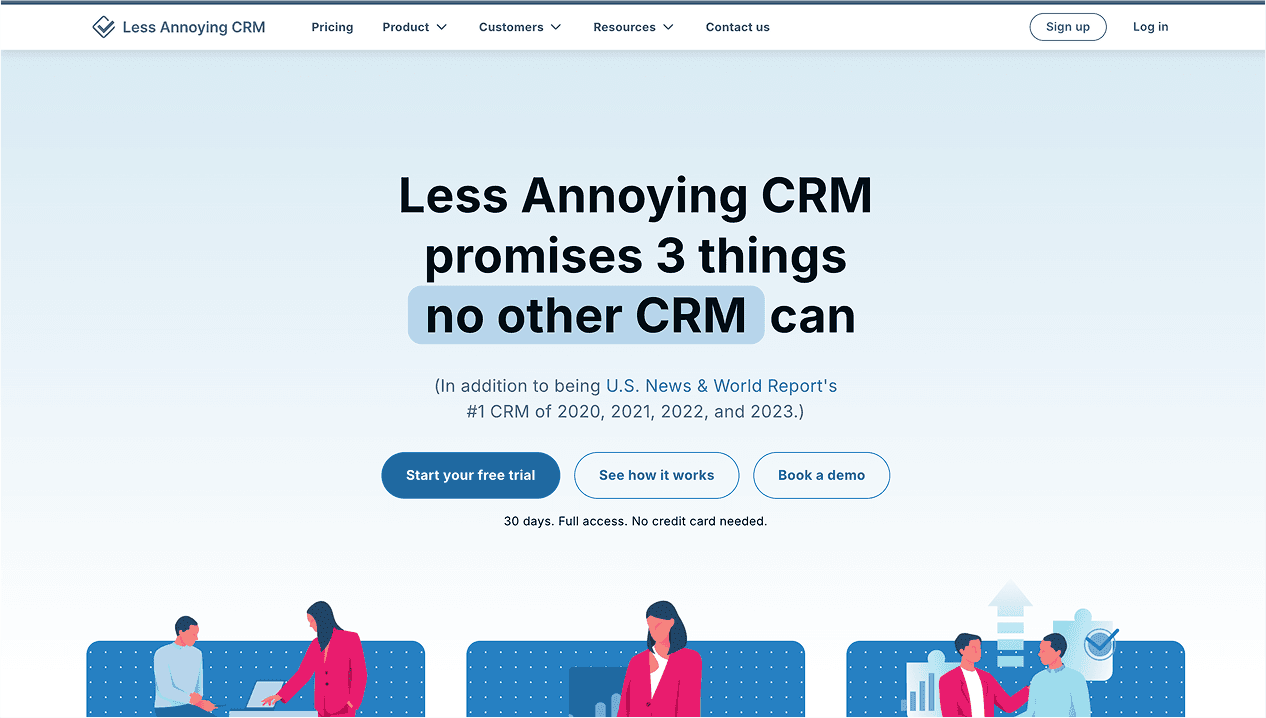
Why it stands out: Less Annoying CRM, as the name promises, this CRM keeps things uncomplicated and cost-effective — perfect for very small businesses or solo owners.
Pricing:
Flat $15/month per user (no tiered pricing)
Pros:
Simple, affordable, and easy to learn
Clean focus on contacts, tasks, and calendar
Cons:
Limited customization and project features
Interface feels dated by modern standards
3. Zoho Bigin
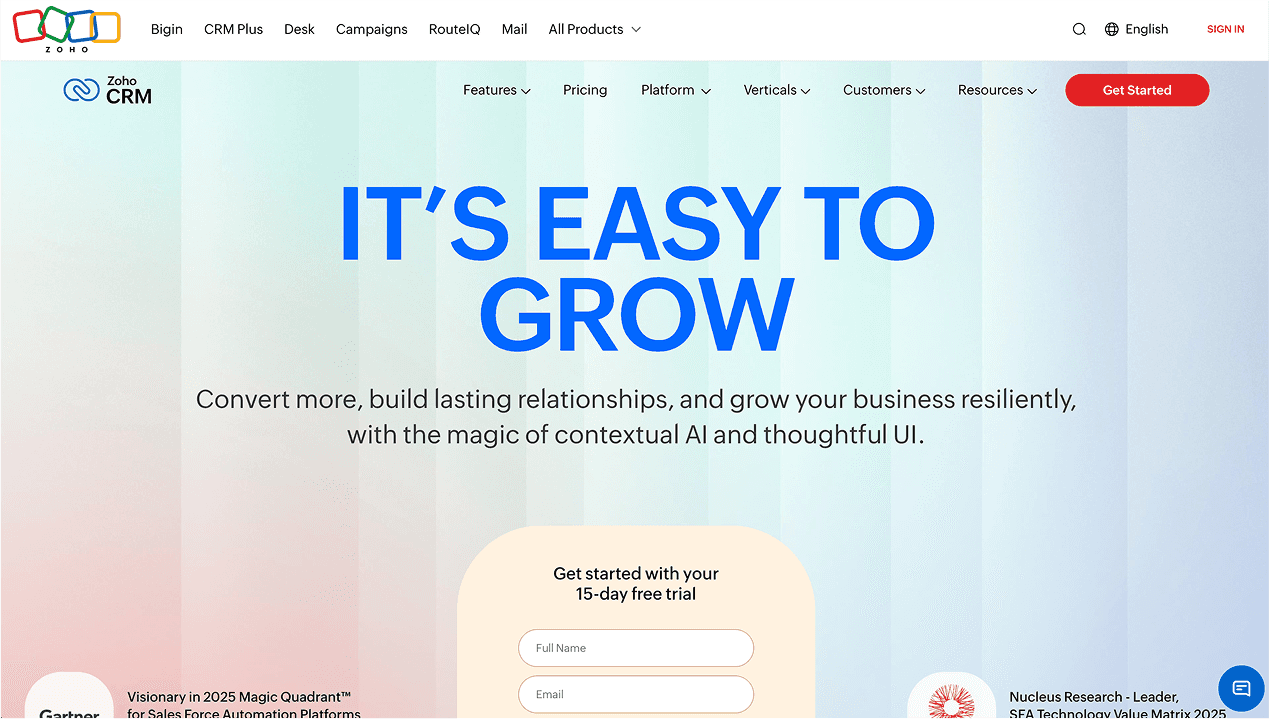
Why it stands out: Bigin is Zoho’s lightweight CRM designed for pipeline-based workflows without the complexity of Zoho CRM. It’s ideal if you need structured deal tracking but still want simplicity.
Pricing:
Standard Plan: approximately $7–$10/month per user (varies by promotion or geography)
Pros:
Offers a clear pipeline view for smaller teams
Integrates with Zoho’s suite of tools
Affordable pricing
Cons:
Requires some setup time
More sales-oriented focus than general contact management
4. Attio
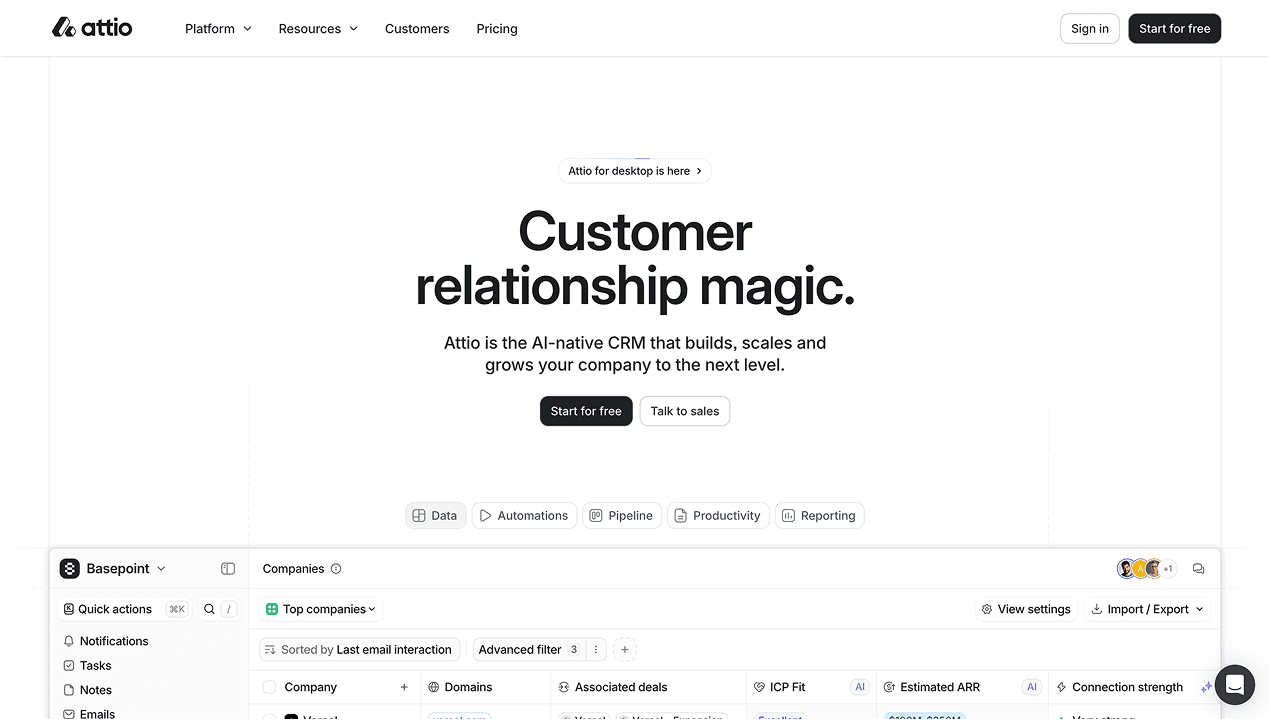
Why it stands out: For those who want a modern, highly customizable CRM, Attio lets you treat your CRM like a database you shape to your needs. It’s for owners who want power without sacrificing design.
Pricing:
Starting at around $39/month per user (as of latest publicly available pricing)
Pros:
Clean, modern interface
Exceptional flexibility and customization
Collaboration features for small teams
Cons:
Higher price than most personal CRMs
Requires configuration time—less plug-and-play
5. Insightly
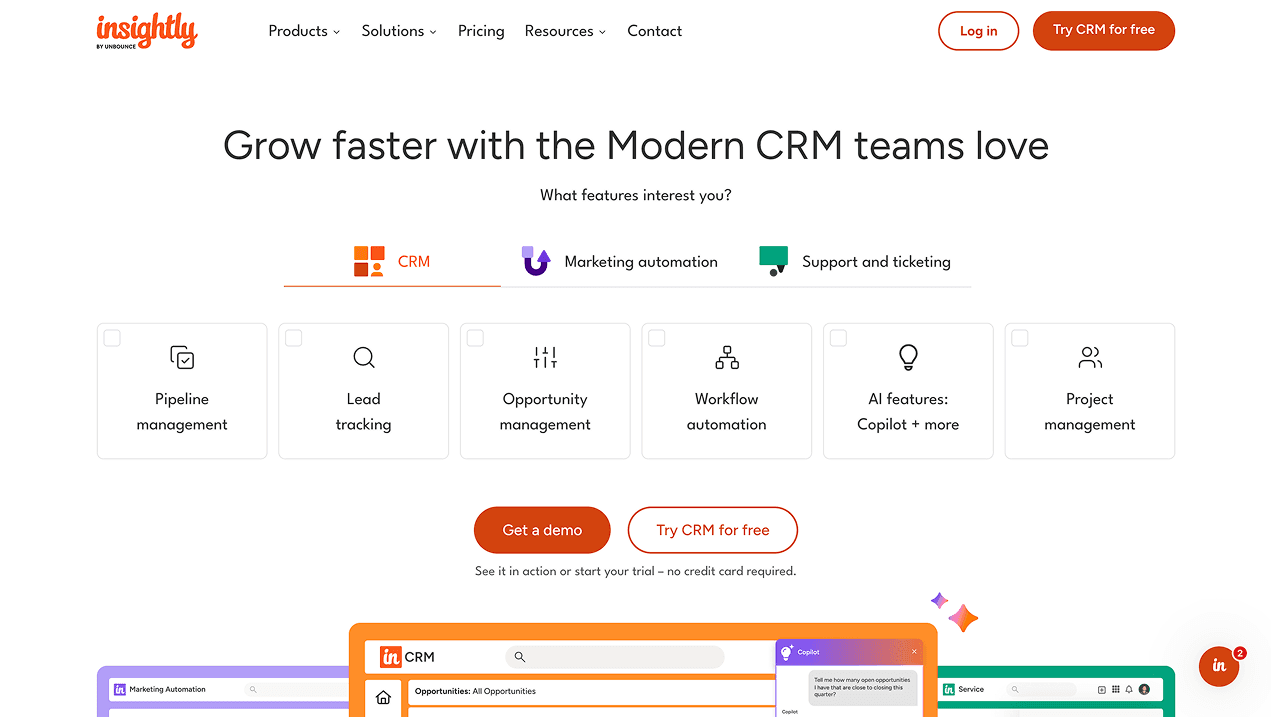
Why it stands out: Insightly merges CRM and project management, giving small businesses a mid-level solution that still stays within manageable complexity.
Pricing:
Basic plans begin around $29–$49/month per user (check current pricing as features may vary)
Pros:
Combines CRM with project management
Robust integrations (Google, Microsoft, etc.)
Scales better than ultra-light CRMs
Cons:
More complex to set up
Less intuitive interface for very simple use cases
Higher cost compared to lightweight options
How to choose
The right tool depends on what you are actually trying to solve.
If you want something free to start, clean to use, and capable of growing into structured workflows as your team grows, HiWork is a strong starting point.
The most important thing is picking something you will actually use. A CRM only works if the habit of keeping it updated sticks. That is more likely when the tool is simple enough that updating it takes less time than avoiding it.
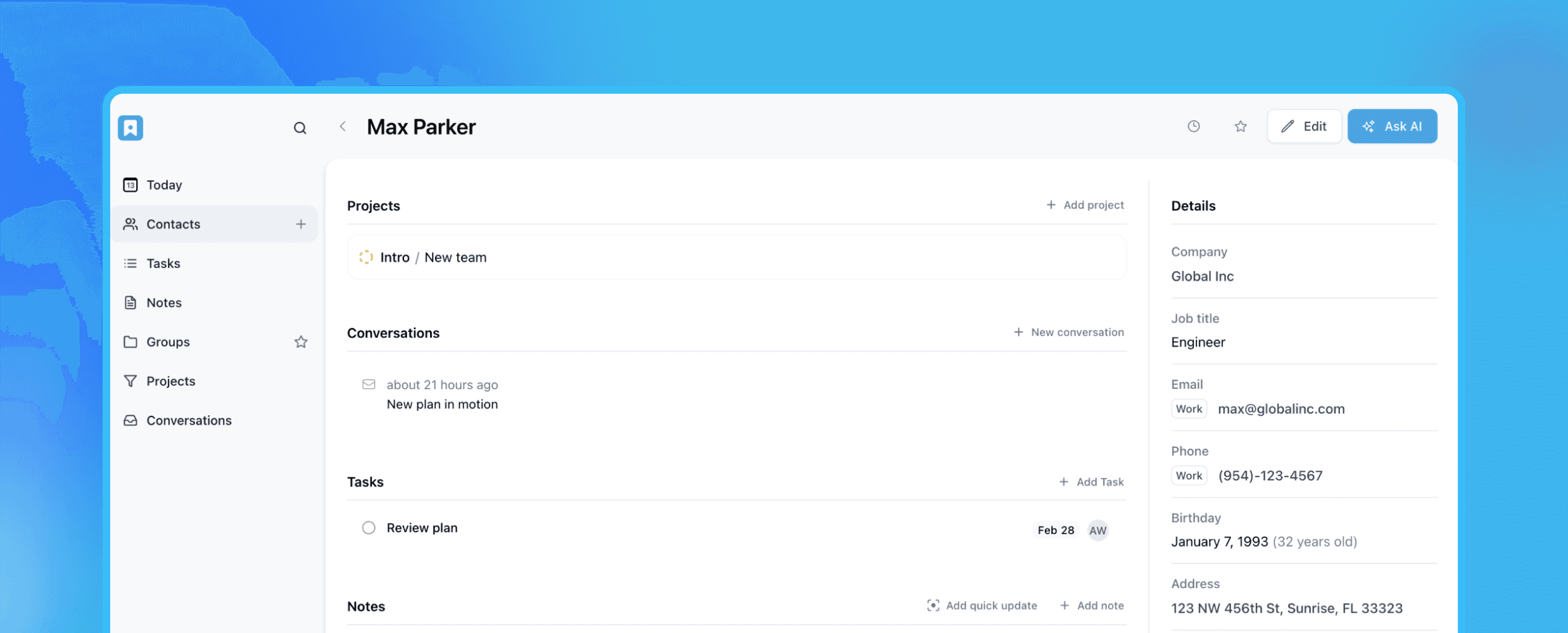
Learn what personal CRM software is, how it works, and why it matters.
When most people hear "CRM," they think of sales teams, dashboards full of leads, and complicated pipelines. That association is not wrong. Most CRM software is built for sales organizations, and it shows. The features, the pricing, and the complexity all reflect that.
But the core problem a CRM solves, keeping track of people, what you know about them, and what needs to happen next, is not a sales problem. It is a human one. Personal CRM software applies that same logic at a different scale, for individuals and small teams who want a simple way to manage their contacts and relationships without the overhead of enterprise software.
What is personal CRM software?
A personal CRM is a tool that helps you organize your contacts, track your interactions with them, and manage the tasks and follow-ups that come out of those relationships.
It is built for a different use case than traditional CRM software. Where enterprise CRMs are designed for sales pipelines, lead scoring, and multi-team reporting, a personal CRM focuses on something simpler: keeping the people in your life organized and making sure nothing important falls through.
The people who use personal CRM software tend to fall into a few categories. Professionals managing a client roster or a professional network. Freelancers keeping track of multiple ongoing relationships. Small team owners who want a shared contact system without the complexity of enterprise software. Anyone who has tried to manage their contacts through a spreadsheet and found it breaking down as the list grew.
How does a personal CRM work?
Personal CRM software is built around a set of core building blocks. Understanding each one makes it easier to see how the pieces fit together.
Contacts
The foundation of any CRM is the contact record. Each person in your network gets their own record with the information that matters: name, email address, phone number, job title, and company. In a personal CRM, you can usually store multiple phone numbers and email addresses per contact, add website links, and track details like birthday or location.
The contact record is also where everything else attaches. Notes from past conversations, tasks for upcoming follow-ups, files and documents, and the full activity history of the relationship all live on the contact. When you need context before a call or a message, the record is where you go.
Companies
Many contacts belong to an organization. A personal CRM lets you create company records and link contacts to them, so you can see the relationship at the organizational level, not just the individual one.
This matters when you work with multiple people at the same organization. Instead of managing each contact in isolation, you can see everyone connected to a company in one place and understand the relationship as a whole.
Contact lists
Contact lists are how you organize your network into meaningful groups. A list might be Clients, Past Colleagues, Contacts from a Conference, or Family. The same contact can belong to multiple lists, so someone who is both a personal friend and a professional connection appears in both without any duplication.
Lists make it fast to find the right people without searching through your entire contact database. They also make it possible to take action on a group, like creating a task for everyone on a list at once.
Tasks
Tasks are how a personal CRM connects your relationships to your to-do list. Instead of a task that says "follow up with Sarah" sitting in a general task manager disconnected from any context, a task in a CRM attaches directly to Sarah's contact record. The due date, the description, and the history of the relationship are all in the same place.
Most personal CRMs let you filter tasks by due date, status, and assignee, so you can see what is overdue, what is due today, and what is coming up next week without any extra work.
Notes
Notes are where the texture of a relationship lives. What was discussed in the last call. What someone mentioned about their situation. What you promised to send. What you learned about their work that might be relevant later.
A good note habit means you never go into a conversation unprepared. The history is there when you need it, searchable and attached to the right person.
Custom fields
Not every contact fits a standard template. Custom fields let you add information specific to how you work. The type of relationship, the source of the introduction, the stage of a conversation, a date that matters, anything you find yourself trying to remember repeatedly can become a field that is always visible and searchable on the contact record.
Activity history
Every interaction with a contact generates a record automatically. Notes added, tasks created, files attached, status changes. The activity history gives you a timeline of the relationship without requiring any extra effort. When you want to understand how a relationship has evolved, or when someone else on your team needs to pick up where you left off, the history is already there.
What can you use a personal CRM for?
The use cases are broader than most people expect. Here is how different types of people use personal CRM software:
Professionals and small teams
Keep track of a professional network and stay on top of follow-ups.
Manage ongoing client relationships with notes and tasks.
Share a contact system across a small team so everyone works from the same information.
Freelancers and independents
Organize clients and collaborators in one place.
Track the status of ongoing conversations and deliverables.
Keep notes on each client relationship so context is always available.
Everyday use
Track service providers you want to use again, from contractors to doctors.
Stay in touch with people from events, communities, or past chapters of your life.
Keep personal notes and reminders tied to the people they belong to.
How personal CRM software compares to spreadsheets
Most people start with a spreadsheet. It works at first. You can list contacts, add some columns for status or notes, and update things manually. The problems show up as the list grows.
Spreadsheets do not link contacts to companies. They do not attach tasks to people. They do not keep a history of changes. They are hard to search when you are looking for something specific and hard to maintain when multiple people need to update the same information.
A personal CRM does not replace spreadsheets for everything. But for managing relationships and the information that goes with them, it is a better fit. The structure is built for the problem.
How to choose the right personal CRM
When evaluating options, keep these in mind:
Ease of use: Can you start using it in minutes, not days?
Contact and company support: Can you organize both people and organizations?
Notes and tasks: Are follow-ups and conversation history built in, not bolted on?
Customization: Can you adapt it to how you actually work, with custom fields and flexible lists?
Pricing: Is it priced for individuals and small teams, not enterprise sales organizations?
HiWork covers all of these and offers a 14-day free trial plan to get started.
Frequently asked questions
What is personal CRM software? Personal CRM software is a tool that helps individuals and small teams organize contacts, track interactions, manage follow-up tasks, and keep notes on their relationships. It is simpler and more flexible than enterprise CRM software, which is designed for sales teams and large organizations.
How is a personal CRM different from a traditional CRM? Traditional CRMs are built around sales pipelines, lead scoring, and team reporting. Personal CRMs focus on contact management, notes, and follow-ups without the complexity. The audience is different: individuals and small teams rather than large sales organizations.
Who should use a personal CRM? Anyone managing more relationships than they can comfortably track in their head or a spreadsheet. Freelancers, professionals with active networks, small team owners, and anyone who wants a shared system for managing contacts and follow-ups.
Does a personal CRM replace a project management tool? Not entirely, but it covers the tasks that belong to relationships. A task attached to a contact record, with the full history of that relationship visible alongside it, is more useful than the same task in a general project management tool. For work unrelated to people and relationships, a separate project management tool still makes sense.
How much does personal CRM software cost? It varies. Some tools offer a free tier with core features. Paid plans typically range from around ten to thirty dollars per user per month. Enterprise CRMs tend to cost significantly more and are designed for larger organizations with more complex needs.
Why a personal CRM is worth using
Most people underestimate how much mental energy goes into managing relationships without a system. Trying to remember the last conversation before a call. Keeping follow-ups in your head until they eventually get forgotten. Searching through old emails to find a phone number you know you have somewhere.
A personal CRM does not solve those problems with complexity. It solves them by giving everything a place. Contacts are organized. Notes are attached to the right person. Tasks have due dates and show up when they are due. The history of every relationship is already there when you need it.
The difference is most noticeable over time. After six months of adding notes and tasks consistently, the system becomes a record of your professional and personal relationships that would be impossible to reconstruct from memory alone. Before a call, you are prepared. Before a follow-up, you know exactly where things stand. When someone moves to a new company or changes roles, you update the record and the context stays intact.
It is not about being more organized for its own sake. It is about showing up better in the relationships that matter, consistently, without having to hold everything in your head.
HiWork is a personal CRM that includes contacts, company records, context information, contact lists, notes, tasks, custom fields, and activity history.
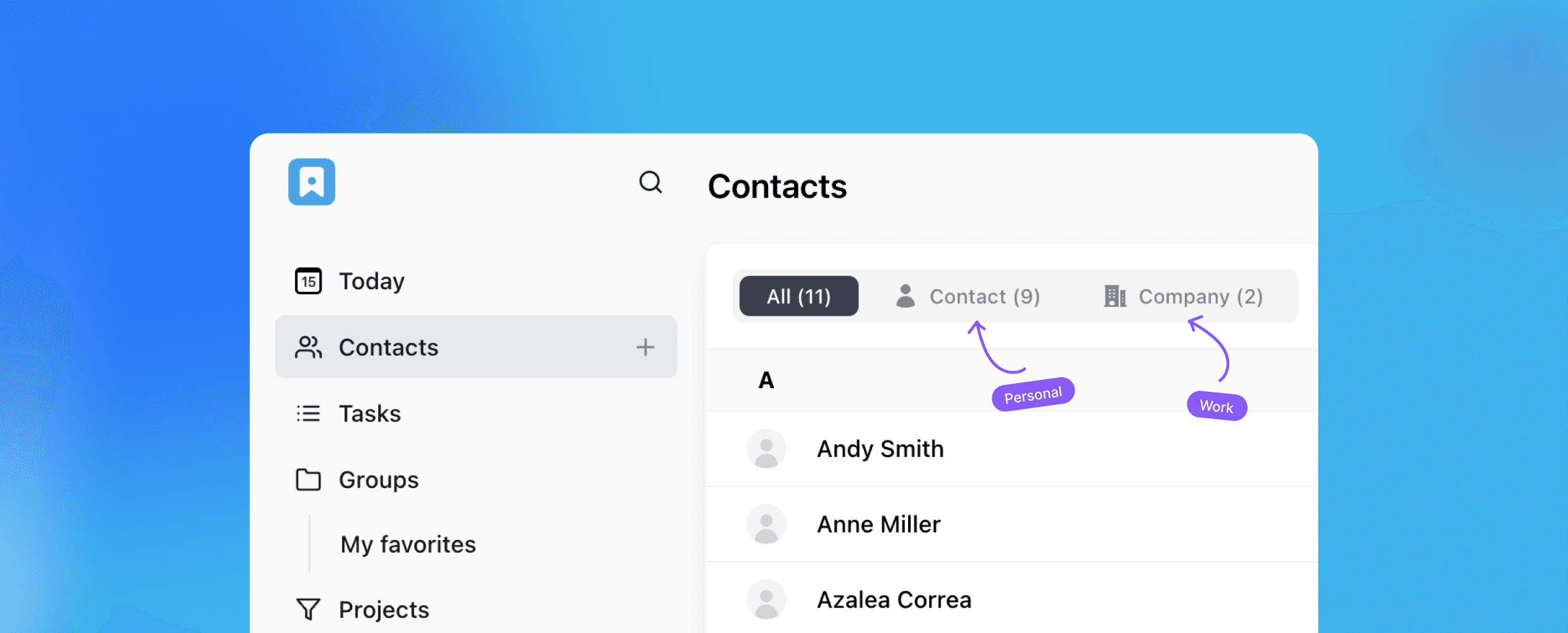
Most people manage personal and professional contacts in completely separate places. Work contacts live in a CRM or email. Personal contacts live in a phone. Neither system has the full picture, and moving between them takes more effort than it should.
The alternative is one place where everything lives, organized well enough that personal and professional contacts never feel mixed up even though they are in the same system. Here is how to set that up.
Step 1: Add your contacts
Start simple. For each person, add the basics: name, email, phone number, job title, and company. You do not need to fill in everything at once. A contact with a name and a phone number is already more useful than a name in your memory.
The habit that makes the difference is adding a short note when you create the contact. Where you met them, what they do, why they are in your network. Something like "met at industry event in March, works in operations" or "childhood friend, lives in Austin now." Two sentences of context saves a lot of reconstruction later.
Step 2: Link contacts to companies
For professional contacts, connecting a person to their company record adds a layer of context that is hard to replicate any other way.
When a contact is linked to a company, you can see everyone at that organization in one view. If you work with three people at the same client, they are all connected. When the company changes something, you know which contacts are affected. When you want to reach out to an organization rather than an individual, you start at the company record and work from there.
This also helps when people move around. If someone leaves a company and joins another, you update their record and the connection updates with it.
Step 3: Use contact lists to separate personal and professional
A contact list is the simplest way to keep personal and professional contacts organized without keeping them in separate systems.
Create a few lists based on how you actually think about your contacts. Something like: Friends, Family, Clients, Colleagues, Network. A single contact can belong to more than one list, so someone who is both a friend and a professional connection sits in both without any duplication.
The practical benefit is speed. When you want to find a client, you filter by the Clients list. When you want to find someone from a past job, you filter by Colleagues. You are not scrolling through hundreds of names looking for the right person.
The more specific your lists, the more useful they become. Some people go broad (Personal, Professional), others go narrow (Family, Close Friends, Current Clients, Past Clients, Vendors). Start with whatever reflects how you actually think about your network and adjust from there.
Step 4: Create tasks directly on contacts
A task that is not attached to the person it belongs to is easy to lose. A reminder to follow up with a client sits in a general to-do list next to unrelated tasks and gets skipped. A task attached directly to the contact record is harder to miss.
Create tasks on the contact the moment a follow-up is needed. A deadline for sending a proposal. A reminder to check in after a meeting. A note to introduce two people who should know each other. Set a due date on each one. The task view filters by overdue, due today, and upcoming, so your follow-up list is always current without any extra work.
This applies to personal contacts too. A reminder to call someone on their birthday, to follow up on something a friend mentioned, to send a gift. The system does not distinguish between professional and personal. It just surfaces what needs attention when it needs attention.
Step 5: Use custom fields for what the defaults do not cover
Every contact system has a standard set of fields. Name, email, phone, company. For a lot of contacts, that is enough. For others, there is information you want to track that does not fit anywhere obvious.
Custom fields fill that gap. For professional contacts, you might add a field for the type of relationship (client, vendor, partner), the stage of a conversation, or the source of the introduction. For personal contacts, you might track a birthday, a preferred way to communicate, or something specific about how you know them.
The information you find yourself trying to remember every time you interact with someone is exactly the information that should be a field. Once it is captured in a structured way, it is searchable and filterable, not buried in a note somewhere.
Step 6: Keep notes for context
Notes are where the texture of a relationship lives. The things that do not fit in a field but matter when you interact with someone again. What you talked about last time. What they mentioned about their situation. What you said you would do.
Add a note after every meaningful interaction. It does not need to be long. A few sentences covering what was discussed and what comes next is enough. Over time, the notes build a history that makes every subsequent interaction more informed.
Full-text search across notes means you can find specific details across all your contacts without remembering exactly where you wrote them. If you remember someone mentioned a particular topic but cannot remember who, searching the notes finds it.
One tool that handles all of this in one place is HiWork. It offers a personal CRM with contacts, company records, contact lists, tasks, custom fields, and notes all included. No credit card required to start.

Most people are reasonably good at meeting new contacts.
The harder part is what comes after. Staying in touch over months and years, remembering the context of past conversations, following up at the right moment rather than when you happen to remember. That is where most professional networks quietly fall apart.
The contacts are there. The relationships just do not get maintained.
A CRM is a practical tool for fixing that. It is used mostly in sales contexts, but the underlying function applies directly to professional networking: keeping track of people, what you know about them, and what needs to happen next.
Why networking without a system breaks down
The standard approach to managing a professional network is a combination of memory, inbox search, and LinkedIn. It works until you have more contacts than you can actively hold in your head, which for most people is somewhere around thirty to fifty people.
Past that point, things start slipping. You mean to follow up with someone after a conference, but other things come up and two months pass. You run into someone you have not spoken to in a year and cannot remember what you last talked about. You want to make an introduction between two people but cannot remember exactly what one of them does now.
None of this is a failure of effort. It is a failure of infrastructure. The information existed at some point. It just was not captured anywhere useful.
Five ways a CRM improves how you manage your network
Every contact has a record, not just a name
Follow-ups are tasks, not intentions
Context is available before every interaction
Contacts are organized, not just stored
The network is visible as a whole
Here is what each one looks like in practice.
1. Every contact has a record, not just a name
A name in a contacts app tells you very little. A contact record tells you who someone is, where you met them, what they do, what you have discussed, and what is pending between you.
The habit is simple: after every meaningful interaction with someone, add a note. Where you met. What you talked about. What they mentioned about their work or situation. What you said you would do. A few sentences is enough. Over time, those notes become a real picture of the relationship, one that is available whenever you need it.
This is the difference between a contact list and a network. The contact list has the name. The record has the context.
2. Follow-ups are tasks, not intentions
The most common way a professional relationship goes cold is not a falling out. It is a follow-up that never happened. You meant to send something. You meant to check back in. Something else came up.
When a follow-up lives only in your head, it competes with everything else in your head. Most of the time it loses.
The fix is to make it a task with a due date the moment it is needed. After a meeting, before you close your laptop: create the task, set the date, attach it to the contact. When the date comes, it shows up. The intention becomes an action.
3. Context is available before every interaction
Think about the last time you got on a call with someone you had not spoken to in a few months. Before it started, did you know exactly what you discussed last time? Most people go in trying to piece it together and end up less prepared than they would like.
When notes are attached to a contact record, preparation takes two minutes. Pull up the record, read through the last few notes, and you are back in context before the call starts. You know what was said, what was promised, and where the relationship stands right now.
Dale Carnegie wrote about this in How to Win Friends and Influence People. One of his central points was that a person's name is the most important word to them in any language, and that remembering names and personal details is one of the most powerful things you can do in any relationship. The principle extends beyond names. Remembering what someone told you last time, what they were working through, what they cared about, tells them you were paying attention. That matters more than most people realize. People notice when you remember. They notice even more when you do not.
Keeping that kind of detail in a contact record is what makes it possible across an entire network, not just the handful of people you interact with most.
4. Contacts are organized, not just stored
A contact list that grows without any structure becomes harder to use over time. When you need to find someone specific, you scroll. When you want to reach out to a group of people with something in common, you have no way to do it quickly.
Contact lists let you group people in ways that are useful to you. Past colleagues in one list, people you met at events in another, contacts you want to stay close to in a third. The groupings depend on how you actually work, not on a default category someone else decided.
Custom fields add another layer. If you want to track where you met someone, what industry they work in, or when you last reached out, those can be fields on the contact record. The information you actually use becomes easy to find.
5. The network is visible as a whole
One of the more useful things a CRM does is give you a view of the whole network at once. Not just individual contacts, but patterns. Who have you not spoken to in a while. Where are follow-ups overdue. Which relationships have been active and which have gone quiet.
Most people manage their network reactively, reaching out when they happen to think of someone or when they need something. A more deliberate approach is to review the network periodically, look for relationships that deserve attention, and take action before the connection fades rather than after.
A task filter showing overdue follow-ups is a practical version of this. It tells you where the gaps are without requiring you to hold the whole network in your head at once.
If you are looking for a tool to manage this, HiWork offers a CRM that works well for professional networking. Contacts, notes, tasks, contact lists, and activity history are all included.

Forgetting important details? Time to tidy up your notes.
After a meeting or call, most people remember the broad strokes. The general topic, the outcome, maybe the next step. A week later, the details start fading. A month later, you are back on a call with the same person trying to piece together where things left off.
The information existed. It just was not captured anywhere useful.
Good notetaking on your work interactions is not about writing everything down. It is about capturing the right things in the right place so that when you need them, they are there.
Why most notetaking systems break down
The most common approach is scattered. Notes from one meeting live in a notebook. Notes from a call are in a draft email you never sent. A follow-up you meant to log is still in your head. The information is technically somewhere, but finding it when you need it takes longer than just asking again.
The other common failure is depth without structure. A long note that captures everything but is not tied to a contact, a date, or a next step is hard to act on. You read it back and still have to figure out what it means for what you are doing right now.
A useful notetaking habit for work interactions has three qualities. It is consistent, meaning you do it every time not just when something feels important. It is attached to the right context, meaning the note lives with the contact or project it belongs to. And it captures what comes next, not just what was said.
Five notetaking habits that actually help
Write the note right after the interaction
Attach the note to the person, not the meeting
Always end with a next step
Keep a record of what you promised
Review notes before every follow-up
Here is what each one looks like in practice.
1. Write the note right after the interaction
Memory is most accurate in the first hour after a conversation. The specific phrasing someone used, the concern they raised, the detail that seemed minor at the time but might matter later. These fade fast.
The habit is simple: before you move to the next thing, write a short note. It does not need to be long. Three to five sentences covering what was discussed, what was decided, and what happens next. That is enough to make the next interaction meaningfully better.
If you wait until the end of the day, you will find yourself reconstructing rather than recording. The note becomes less accurate and less useful.
2. Attach the note to the person, not the meeting
Notes that live in a general document or a calendar entry are hard to find when you need them. Before a call with someone you last spoke to three months ago, you want to pull up everything related to that person specifically, not search through a notebook or a folder of documents.
When notes are attached directly to a contact record, the history builds automatically. Every conversation is there in order. You open the person, you see the timeline. No searching, no cross-referencing.
This is where a contact management tool becomes more useful than a general notebook. The note is filed where it belongs by default.
3. Always end with a next step
A note without a next step is a record of the past with no connection to the future. You will read it back before the next interaction and still not know what you were supposed to do.
Every note should end with one line: what happens next and who is responsible for it. Even if nothing specific was agreed, write that down too. "No clear next step, following up in two weeks" is more useful than a note that just describes what was talked about.
When you build this habit, your notes become a to-do list as much as a record. The next action is already captured by the time the conversation ends.
4. Keep a record of what you promised
This is the most underrated part of notetaking on work interactions. You promise to send something, to make an introduction, to follow up with information. In the moment it feels easy to remember. Two weeks later, with ten other conversations in between, it is gone.
Write down every commitment you make, no matter how small. A separate line at the end of each note, or a task created immediately after. If the other person said they would do something, write that down too. When nothing happens on their end, you have a record of what was expected and when.
This prevents a specific kind of professional damage, the kind where you consistently forget what you promised and people stop trusting you to follow through.
5. Review notes before every follow-up
The habit that ties everything else together. Before any call, meeting, or follow-up email, spend two minutes reading through the notes from the last interaction.
This does two things. It brings you back into the context of the relationship quickly, so you are not starting from scratch every time. And it tells you whether you did what you said you would do, before the other person has to remind you.
Most people skip this step because they think they remember. They usually do not. The two minutes it takes is worth more than almost anything else you could do to prepare.
Where to keep your notes
A general notebook works for simple situations. For anyone managing multiple clients, contacts, or ongoing work relationships, something tied to a contact record works better.
A CRM keeps notes attached to the right person automatically. You search the contact, the history is there. Every note, every task, every follow-up in one place.
HiWork offers a personal CRM that works this way. Notes attach directly to contact records, tasks can be created from conversations, and the activity history gives you a running timeline of every interaction.
Wish you could clone yourself for better productivity?
Managing any work in general takes more time than it should. Chasing someone for an approval. Figuring out who is supposed to act next. Searching through email to piece together what happened on a case three weeks ago.
Most of that time is not spent on the actual work. It is spent on the coordination around it. Structured workflows cut that down significantly. Here is where the difference shows up most.
Five ways workflows make your team more productive
You design a workflow once and reuse it every time
Ownership is always clear
Approvals happen inside the workflow, not in email
The full history of every workflow is always visible
Tasks, documents, and contacts connect to the workflow they belong to
Here is what each one looks like in practice.
1. You design a workflow once and reuse it every time
A workflow is a structured, step-by-step sequence that defines how a piece of work moves from start to finish. Each step has a clear action, an owner, and a defined outcome before anything moves forward.
Every repeatable process your team runs starts the same way. Same steps, same checkpoints, same information to collect. The problem is that without a system, each new instance gets rebuilt from scratch. Someone starts an email chain. Someone else creates a folder. The process exists, but it lives in different places every time.
Workflow templates let you design a workflow once and run it for every new client or case from that point forward. The steps are defined. The transitions are configured. The custom fields that collect the right information at each stage are already in place. When a new workflow starts, the structure is already there.
This matters most when the team grows. A new team member does not need to learn the workflow from a colleague or a document. The workflow is the documentation.
2. Ownership is always clear
The most common reason something stalls is that nobody is sure whose turn it is. A step was completed, something was submitted, and now the file sits waiting while two people each assume the other is handling it.
When each step in a workflow is assigned to a specific person, there is no ambiguity. When a step becomes active, the assigned person knows it is on them. Nobody has to check in to find out what is pending. Nobody has to send a message asking who is responsible. The workflow carries that information.
Ownership at the overall level matters too. Every active process should have a named owner who is accountable for it moving forward, separate from whoever is assigned to individual steps.
3. Approvals happen inside the workflow, not in email
A workflow with an approval step means nothing moves forward until the right person signs off. The problem is that most teams run those approvals through email, which is where they get buried.
The fix is to keep approvals inside the workflow itself. When a step is submitted, the assigned reviewer approves or rejects it directly in the platform. If approved, the workflow moves to the next step automatically. If rejected, the step goes back for revision, with the rejection reason attached so the person who submitted it knows exactly what to address.
The approval becomes a documented action inside the workflow, not a thread in someone's inbox that gets lost within a week.
4. The full history of every workflow is always visible
A workflow is only as useful as the visibility it provides. When a client asks where their case stands, the answer should take seconds. When a handoff happens mid-workflow, the person taking over should be able to open the record and understand exactly what has happened without a briefing.
That requires a complete audit trail. Every submission, approval, rejection, and status change logged with a timestamp and the name of the person who took the action. The history does not need to be assembled from email threads or reconstructed from memory. It should already be there.
This matters for compliance and accountability too. If a question comes up about a decision made weeks ago, the record shows exactly what happened and when.
5. Tasks, documents, and contacts connect to the workflow they belong to
Information that is not connected to anything useful becomes noise. A document saved in a folder that nobody labels consistently. A task created for a client but disconnected from the project it belongs to. A note that makes sense today and means nothing in three weeks.
The right setup is to have tasks, documents, and contacts attach directly to the workflow they are part of. When you open a process, everything related to it is in one place. The files collected at intake, the tasks assigned during execution, the contacts involved. Nothing has to be cross-referenced or hunted down.
It also works in the other direction. When you open a contact record, you should be able to see the workflows that contact is part of. The contact database and the workflow layer connected, not two separate systems you have to jump between.
If you are looking for a tool that works this way, HiWork combines a CRM with structured, approval-based workflows, all in one platform. Easy to start, no credit card required.

Learn how to use a CRM system to improve your home.
It is 2pm on a hot afternoon in July and the air conditioning just stopped working. You remember that about a year ago someone came the same day, fixed it quickly, and charged a fair price. They gave you a business card. You have no idea where it is.
The plumber who knew exactly what the issue was. The electrician who showed up on time and did not leave a mess. The cleaning service you had to chase down a number for when you needed them again. The information exists somewhere. It is in an old email, on a card in a drawer, or just gone.
A CRM is a practical fix for this. It is used mostly in business contexts, but the core function, keeping track of people and the details that matter, applies just as well at home.
HiWork offers a personal CRM you can start using today, no credit card required.
What is a personal CRM?
A personal CRM is a tool for organizing contacts and everything attached to them. Contact details, notes from past interactions, tasks, reminders, and a running history of each relationship.
For home management, that means every contractor and service provider has their own record. You know who they are, what they do, what you paid last time, and when you last used them. When something breaks or needs attention, the information is already there.
How a CRM helps you manage home contractors
Here is what changes when you start tracking contractors in a CRM:
All contact information in one place
Notes on every contractor
Reminders for maintenance and follow-ups
A record of what you paid
Your own notes for future reference
Here is what each one looks like in practice.
1. All contact information in one place
Every contractor gets a contact record. Name, company, phone number, email, and any other details worth keeping. No more digging through old emails or hoping a business card survived.
In HiWork, you can store multiple phone numbers and email addresses per contact, add a website link, and connect a contractor to their company record. If someone works for a local service company, both are in the system and linked.
2. Notes on every contractor
After every job, add a note. What work was done, what it cost, how long it took, whether you would use them again. A few sentences is enough.
Over time those notes build a real picture. Before calling someone back, you can see the history and remember what working with them was actually like. Before calling someone new, you can check whether anyone already in your contacts covers that trade.
Custom fields in HiWork let you record the things you find yourself trying to remember every time. Trade type, hourly rate, whether they require a deposit upfront. Whatever is relevant to how you actually use the information.
3. Reminders for maintenance and follow-ups
A lot of home maintenance runs on a schedule. The HVAC service before summer. The gutter cleaning twice a year. The filter replacement every three months. Most of it is easy to forget until something goes wrong.
Tasks in HiWork attach directly to the relevant contact. Set a task on your HVAC contractor to schedule the annual service in April. Set one on the pest control contact for the next quarterly visit. The task shows up in the task view when it is due, alongside everything else that needs attention that day.
Tasks also work for follow-ups after work is done. A note to check whether a repair held up after a few weeks, or a reminder to get a quote from someone you want to compare with a current contractor.
4. A record of what you paid
Add a note after every job with what was done and what you paid. Over time this becomes a useful reference. You know what a reasonable price looks like for common work. You know whether costs have gone up between visits. When a new contractor quotes you, you have something to compare it against.
For rental properties or homes managed by more than one person, HiWork supports team accounts. Contact records and notes are shared with whoever needs access, so nobody is working from incomplete information.
5. Your own notes for future reference
Not every contractor is worth calling again. A note that says "took three visits to fix the same problem" or "final bill was significantly higher than the quote" is exactly the kind of detail that fades quickly and matters a lot when you need that type of work done again.
A few sentences after each job means the next decision is based on your own experience, not on starting from scratch and hoping the next person works out.
Tips for making it a habit
A CRM for home management works when it becomes routine, not when it is treated as a project to get perfect.
Add notes right after the work is done, not a week later when the details have faded.
Keep records current. If a contractor changes their number or switches companies, update it while you still have the information in front of you.
Use contact lists to group contractors by trade. Plumbers in one list, electricians in another. Finding the right person quickly is the whole point.
Add custom fields for whatever you track repeatedly. Every home is different.
The goal is not an elaborate system. It is having the right information available when something needs fixing at an inconvenient time, which is most of the time.
HiWork CRM offers a 14-day free trial to use. Contacts, notes, tasks, custom fields, and contact lists are all included with no credit card required. Team accounts are available if more than one person manages the property.

Learn to safeguard your information within a CRM system.
A CRM holds more information than most people stop to think about. Contact details, phone numbers, email addresses, notes from private conversations, the full history of your relationships with clients and colleagues. It is not just your data. It is data about the people who trust you with it.
That makes security worth taking seriously. Not in a complicated way, but in a deliberate one. This post covers why data privacy matters in a CRM and what you can do to protect it.
Why data privacy matters in a CRM
Most people think about security after something goes wrong. The better time to think about it is before. There are three risks that make CRM data worth protecting:
Identity theft
Data breaches
Reputation damage
Here is what each one actually means in practice.
1. Identity theft
A CRM typically holds exactly the kind of information that makes identity theft possible. Names, email addresses, phone numbers, physical addresses, job titles, company details. If your account is accessed by someone who should not have it, that information can be extracted and used to impersonate you or your contacts, open fraudulent accounts, or run phishing attempts designed to look like they are coming from you.
The damage from identity theft is not limited to the moment of the breach. It takes time to repair, and in a professional context it can mean reaching out to every person in your contact list to warn them. That is not a conversation anyone wants to have. The more complete your records, the more useful they are to the wrong person.
2. Data breaches
A breach does not have to mean a sophisticated attack. It can be as simple as a reused password that was leaked from another platform, a login left open on a shared device, or access granted to someone who later left the organization and was never removed.
If your CRM contains records on hundreds of contacts, a breach means all of that information is potentially exposed at once. Contact details combined with notes about ongoing work, deal terms, or personal context your clients shared in confidence are far more valuable to an attacker than a phone number on its own. And because a CRM is designed to bring everything together in one place, a single point of failure can expose a great deal at once.
3. Reputation damage
Data is not just names and email addresses. A CRM often holds sensitive context. What a client told you about a situation they were navigating. Notes from a difficult conversation. Details about internal decisions that were shared in trust. Information that was given to you specifically because the relationship made it feel safe to share.
If that information is exposed, the professional consequences go beyond the data itself. Clients who shared something in confidence expect it to stay that way. If it does not, the trust that took years to build is gone in a way that is very hard to repair. Reputation damage from a data incident tends to outlast the incident itself, and in many industries, word travels fast.
Tips for protecting your information
The good news is that most CRM data incidents are preventable. They happen because of weak passwords, excessive access, or poor habits, not because of sophisticated attacks that no one could have anticipated. The following steps make a real difference.
Choose a CRM with real security infrastructure
Use strong, unique passwords
Limit who has access
Be mindful of what you store
Keep your system and access points up to date
Here is what each one looks like in practice.
1. Choose a CRM with real security infrastructure
Not all CRM tools are built the same way at the infrastructure level. Before trusting a platform with your contact data, it is worth understanding what protections are actually in place underneath the application itself.
Look for database-level encryption, which means data is protected even if someone gains access to the underlying servers. Look for access controls that let you manage exactly who in your team can see and do what. Look for SSO (Single Sign-On) support, which lets organizations manage access through a central identity provider rather than a separate password for every tool. Look for automated security checks and private cloud hosting, which reduce exposure to vulnerabilities that come with shared infrastructure.
HiWork is built on all of these. Database-level encryption, SSO support, configurable access controls, automated security checks, and private cloud hosting are part of the platform's infrastructure, not optional add-ons.
2. Use strong, unique passwords
This is the most basic protection and the one most commonly skipped. A password that is short, reused from another account, or based on something predictable gives an attacker a realistic chance of getting in without any sophisticated tools at all.
A strong password is long, random, and used nowhere else. If managing unique passwords across many accounts sounds difficult, a password manager solves the problem cleanly. You remember one master password and the manager generates and stores a unique one for every account. Setup takes about ten minutes and removes the problem permanently.
The critical rule is not to reuse your CRM password on any other account. If that other account is breached and its credentials are leaked, your CRM becomes the next target. Reused passwords are one of the most common entry points for unauthorized access, and one of the easiest to fix.
3. Limit who has access
More access than necessary is a risk that compounds over time. Not everyone on a team needs full visibility into every contact, every note, and every record in the system. Someone who only needs to view contacts does not need permission to delete records or change account settings. Someone working on a specific project does not need access to every client in the database.
HiWork lets you assign roles at the account level: owner, admin, and member. Each role carries a different set of permissions. The right starting point is the minimum access someone needs to do their work, expanded only when there is a specific reason.
Access review should also be a regular practice, not a one-time setup. People change roles, move to different teams, and leave organizations. An account granted during onboarding and never revisited is an open door that may have been forgotten. Setting a reminder to review access every few months and removing anyone who no longer needs it is one of the simplest security habits you can build.
4. Be mindful of what you store
A CRM is designed to hold relationship context, not credentials or sensitive documents. Contact details, notes from conversations, follow-up tasks, and communication history belong there. Passwords, financial account numbers, identification documents, and confidential legal information do not.
The discipline here is straightforward: if information belongs in a secure vault or a document management system, do not put it in a CRM. The CRM is for the relational layer of your work. Keeping the scope clear limits the damage if access is ever compromised, and it also keeps the system cleaner and easier to use for what it is actually designed for.
5. Keep your system and access points up to date
Security vulnerabilities are found regularly in software of all kinds. Updates fix them. Running outdated software, or using outdated devices to access your CRM, means those vulnerabilities stay open longer than necessary.
This applies to the devices you use to access the platform as well. A strong password offers much less protection if the device you are logging in from has outdated software, no screen lock, or is regularly left unattended in a shared space. Security is only as strong as the weakest point in the chain, and the device is often that point.
HiWork also supports OAuth login through Google and GitHub, which lets you tie your CRM access to the security infrastructure of those providers. If you already have strong security habits on those accounts, the benefit carries over without any extra setup.
How HiWork protects your data
At the infrastructure level, HiWork is built with database-level encryption, private cloud hosting, SSO support, access controls, and automated security checks. Data is protected at the server level, not just behind a login screen.
At the account level, owners have full control over who has access and what they can do. Roles are configurable. Team invitations require acceptance before access is granted. OAuth login through Google is available for teams that want access tied to an existing identity provider.
The platform handles the infrastructure layer. The habits above handle the rest. Together they make a CRM a genuinely secure place to keep the information that your professional relationships depend on.

Learn how a CRM system can help you stay organized when job seeking.
As a job seeker, it can be overwhelming to keep track of all the applications, interviews, and follow-ups. But, using a personal CRM system like HiWork can make the job search process more efficient and organized. Keep reading to explore how to use a personal CRM system if you’re hunting for a job.
First, let's define what a personal CRM system is: A personal CRM system is a tool that helps individuals manage their relationships and interactions with people, whether they are personal or professional. It works by organizing contact information, communication history, and follow-up tasks. By using a personal CRM system, job seekers can minimize confusion or miss any important opportunity.
A CRM gives the job search a structure it usually lacks. Every contact has a record. Every application gets a note. Every follow-up becomes a task with a due date. Nothing depends on your memory.
Here are some tips on how to use a personal CRM system if you’re looking for a job:
Start by adding your contacts
Use contact lists to track where things stand
Create tasks for every follow-up
Use notes to track the full picture
Use custom fields for what matters to your search
Keep reading to learn all about them:
Start by adding your contacts
The foundation of any job search is the people in it. Recruiters, hiring managers, contacts from your network, people who said "send me your resume" at some point and actually meant it.
Add each one as a contact in HiWork. Name, company, email, phone number, and how you know them. That last part matters more than it sounds. When you sit down to send a follow-up three weeks later, you want to know whether this is someone you met at an event, a recruiter who reached out cold, or a referral from a former colleague. The context changes the message.
Once the contact is in the system, add a note with anything relevant. The role they mentioned. What they told you about the team. What you discussed in your last conversation. This is the information that makes your next outreach feel personal rather than generic.
Use contact lists to track where things stand
HiWork lets you group contacts into lists. For a job search, the most useful structure is one list per stage.
Something like: Reached Out, Applied, Interviewing, Offer, Closed.
Every contact sits in exactly one list at a time. When something moves forward, you move them. This gives you an immediate view of where your search actually stands. How many active conversations do you have? Where are things stalling? Which companies have gone quiet?
You do not need to search through your inbox to answer those questions. The lists tell you.
Create tasks for every follow-up
The follow-up is where most job searches fall apart. Someone says they will be in touch, a week passes, and you are not sure whether it is too soon to check in or too late.
Create a task every time a follow-up is needed. Sent an application? Create a task to follow up in ten days. Had a first interview? Create a task to send a thank-you note today and another to check in next week if you have not heard back.
Tasks in HiWork attach directly to the contact they belong to. When you open a contact record, you see every pending task alongside the notes and history. Everything is in one place, not scattered across your calendar, your inbox, and a sticky note on your monitor.
Set a due date on every task. The task view filters by overdue, due today, and upcoming. That filter is your daily to-do list for the job search.
Use notes to track the full picture
Every conversation in a job search has context worth keeping. What the recruiter said about the role. What you learned about the team in the screening call. What the hiring manager mentioned about timeline. What you want to bring up in the next conversation.
Add a note after every interaction. It does not need to be long. A few sentences about what was said and what comes next is enough. When you come back to that contact before a call or before writing a follow-up, the notes tell you where things stand.
This is also useful for recording what you actually said in outreach. If you customized your message to a recruiter based on something specific about the company, note it. When you follow up, you can reference the same thread instead of starting from scratch.
Use custom fields for what matters to your search
Not every contact in a job search fits the same template. Some are recruiters at agencies who work across multiple companies. Some are internal referrals who are passing your name along. Some are hiring managers with a specific role open.
Custom fields let you add information that is specific to your situation. You might add a field for the role title, the company size, the source of the contact, or the salary range that was mentioned. Whatever information you find yourself trying to remember or look up repeatedly, make it a field on the contact record.
Keep your search visible
The biggest risk in a job search is losing momentum without noticing it. Applications go out, conversations start, and then everything goes quiet and you are not sure why.
The activity history in HiWork shows every note, task, and update on each contact in chronological order. If a contact has had no activity in two weeks, it is visible. You can decide whether to re-engage or move on, but at least the decision is deliberate.
The task filters give you a similar view at the search level. If your overdue task list is growing, you have let too many follow-ups slip. If everything shows upcoming and nothing shows overdue, the search is moving.
A job search is a process with more steps than most people track. A CRM does not make it easier to get a job. It makes it harder to lose track of the opportunities you already have.
HiWork offers a 14-day free trial to start. Contacts, notes, tasks, lists, and activity history are all available without a credit card.

Discover the benefits of using a CRM system to manage your contacts and simplify your life.
Let's start with the obvious question:
What is a CRM?
A simple definition of CRM: Customer Relationship Management (CRM) is a software that helps businesses or individuals keep track of their interactions with customers and potential customers. It stores important information, automates processes, and provides analytical insight.
CRMs started as tools for large sales teams. But the core idea, knowing who you talked to, what was said, and what comes next, is just as useful for a freelancer, a small business owner, or anyone juggling more relationships than a spreadsheet can hold.
If you're looking for a place to start, HiWork offers a personal CRM that is lightweight, intuitive, and easy to set up. You can be up and running in minutes, with no training required and no complicated configuration to work through.
Here are 5 reasons why you need a CRM system:
You stop losing track of people
Build stronger relationships
Your contacts are organized
Improve your communication
Increase your productivity
Keep reading to learn and explore the many benefits of using a personal CRM system and how it can help you achieve your personal and professional goals.
You stop losing track of people
Most professionals know far more people than they can actively remember. A client you onboarded eight months ago. A contractor you worked with once and want to hire again. A referral someone sent you that you never followed up on.
Without a system, those relationships fade. Not because you don't care, but because there's nowhere to put the context. A personal CRM fixes that. Every contact has a profile. Every conversation gets a note. Every follow-up becomes a task with a due date.
When you open a contact before a call, you see the full picture: what you discussed last time, what's pending, what they told you about their business. That context is what makes the difference between a generic check-in and a conversation that actually moves things forward.
Build stronger relationships
The most common reason relationships go cold is not a lack of interest. It's timing. Someone sends you a message, you mean to reply, something else comes up, and two weeks pass.
A personal CRM makes follow-ups a system, not a memory test. You create a task, set a date, and it shows up when it's due. You don't have to keep it in your head. The tool holds it until you're ready to act.
This is especially useful for anyone managing multiple clients or leads at once. You can see everything that's due today, everything that's overdue, and everything coming up next week, without digging through your inbox to piece it together.
Your contacts are organized, not just stored
A contact list that nobody maintains is just a graveyard of old emails. The value of a CRM isn't storage, it's structure.
In HiWork, you can group contacts into lists, add custom fields that match your actual work, attach notes to specific people, and link tasks directly to a contact record. If you work with clients across different industries or project types, you can filter and find exactly who you need without scrolling through hundreds of names.
You can also track relationships between contacts. Who works at which company, who referred who, who is involved in which project. That kind of context is hard to maintain in a spreadsheet and nearly impossible to maintain in your head.
Improve your communication
Knowing the history of a relationship changes how you show up in it. When you can see what you discussed last time, what someone mentioned about their work, or what you promised to follow up on, your next message is more relevant and more personal.
A personal CRM gives you that context on demand. Instead of sending a generic check-in, you send something that shows you were paying attention. Over time, that consistency is what builds real trust with clients, collaborators, and professional contacts.
Increase your productivity
A personal CRM reduces the time you spend reconstructing information you already have. No more searching through old email threads to find a phone number, or trying to remember where a conversation left off before a call.
Tasks are attached to the right contact. Notes are there when you need them. Follow-ups show up before they're overdue. The result is less time on admin and more time on the work that actually matters.
Why You’ll Love HiWork
Simple, not overwhelming: HiWork is designed to be intuitive and easy to use, without the steep learning curve of traditional CRMs.
Secure: Industry-best practices, encryption, and private cloud storage ensure your data is safe.
Flexible: Use it for personal or business needs, with custom fields and features that adapt to your goals.
Powerful for teams: Collaborate effortlessly while maintaining individual focus.
Accessible anywhere: HiWork’s cloud-based system works on any device, making it perfect for busy, on-the-go users.
A personal CRM is one of the simplest investments you can make in your professional life. Not because it adds features, but because it replaces the mental overhead of keeping track of people, conversations, and follow-ups with a system that does it for you.
HiWork offers a 14-day free trial. Contacts, notes, tasks, and activity history in one place. If you have been managing your relationships through scattered notes and a cluttered inbox, it is worth trying something built for the job.
Start your trial at hiwork.io today.