
THE PROBLEM
A service request comes in, but it’s not consistently logged. An estimate gets prepared, but sits waiting for review. Someone assumes parts are ready, but they’re not.
The job moves forward, but details are scattered across messages, notes, and memory. That’s when revenue slips, and missed jobs go straight to your competitor.
Most teams focus on getting the call. But many jobs are lost in what comes next: delayed estimates, unclear responsibilities, and no visibility into what’s been done.
THE SOLUTION
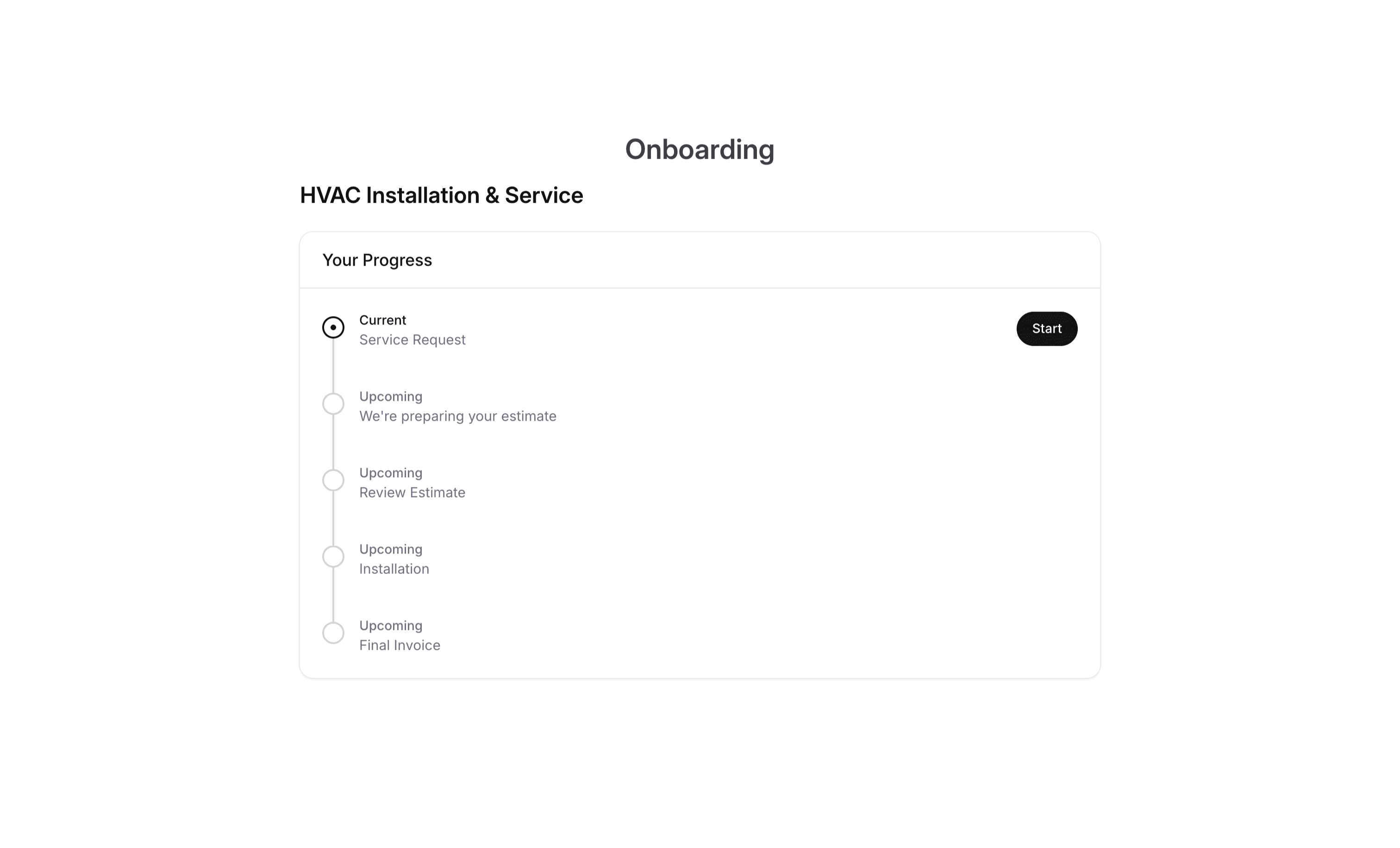
Every request becomes a tracked job. Every job follows a clear path.
Every job's context is in one place
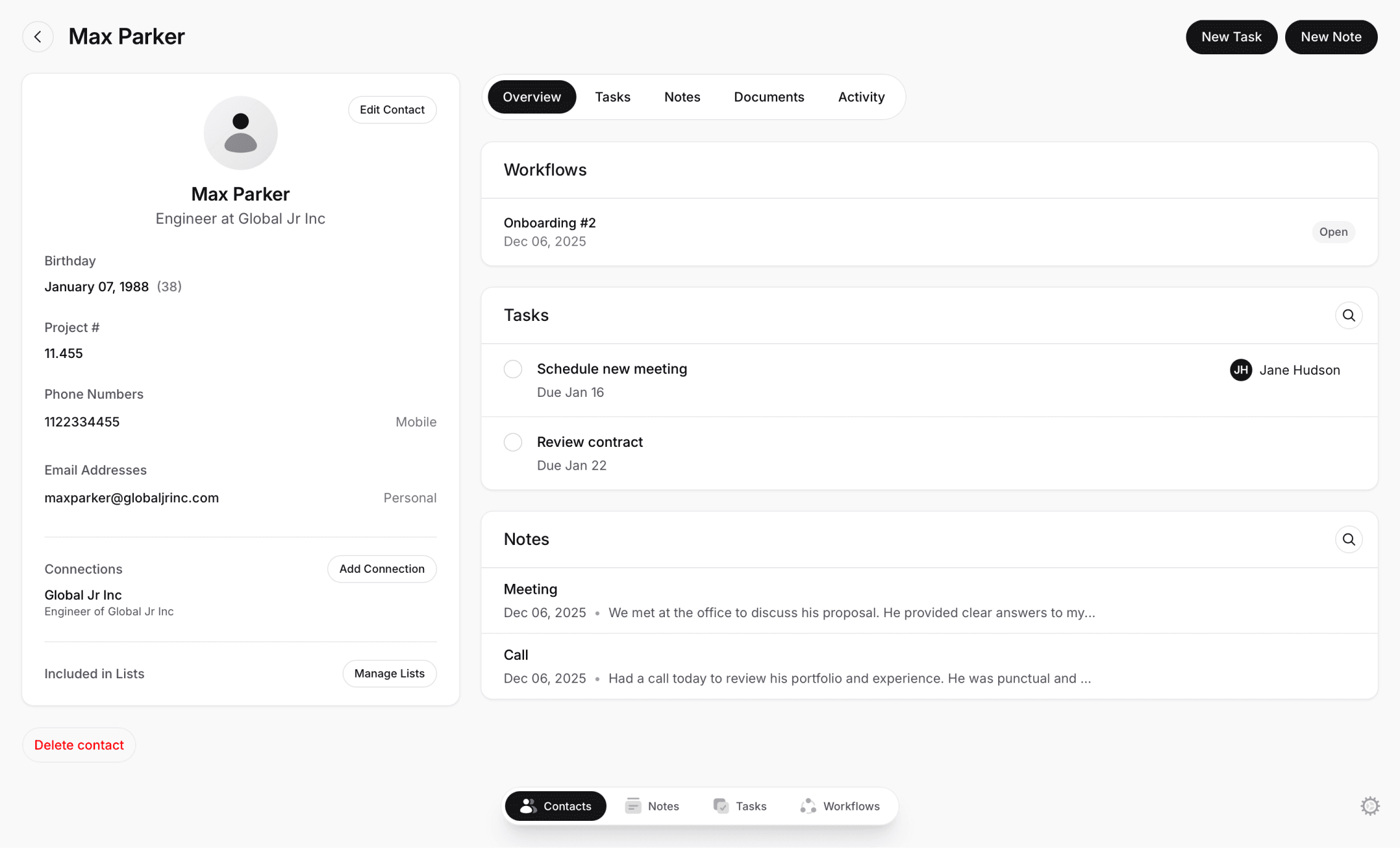
Estimates, requests, notes, and documents all live with the job record. Nothing gets buried in texts or emails.
Always know who owns the next step
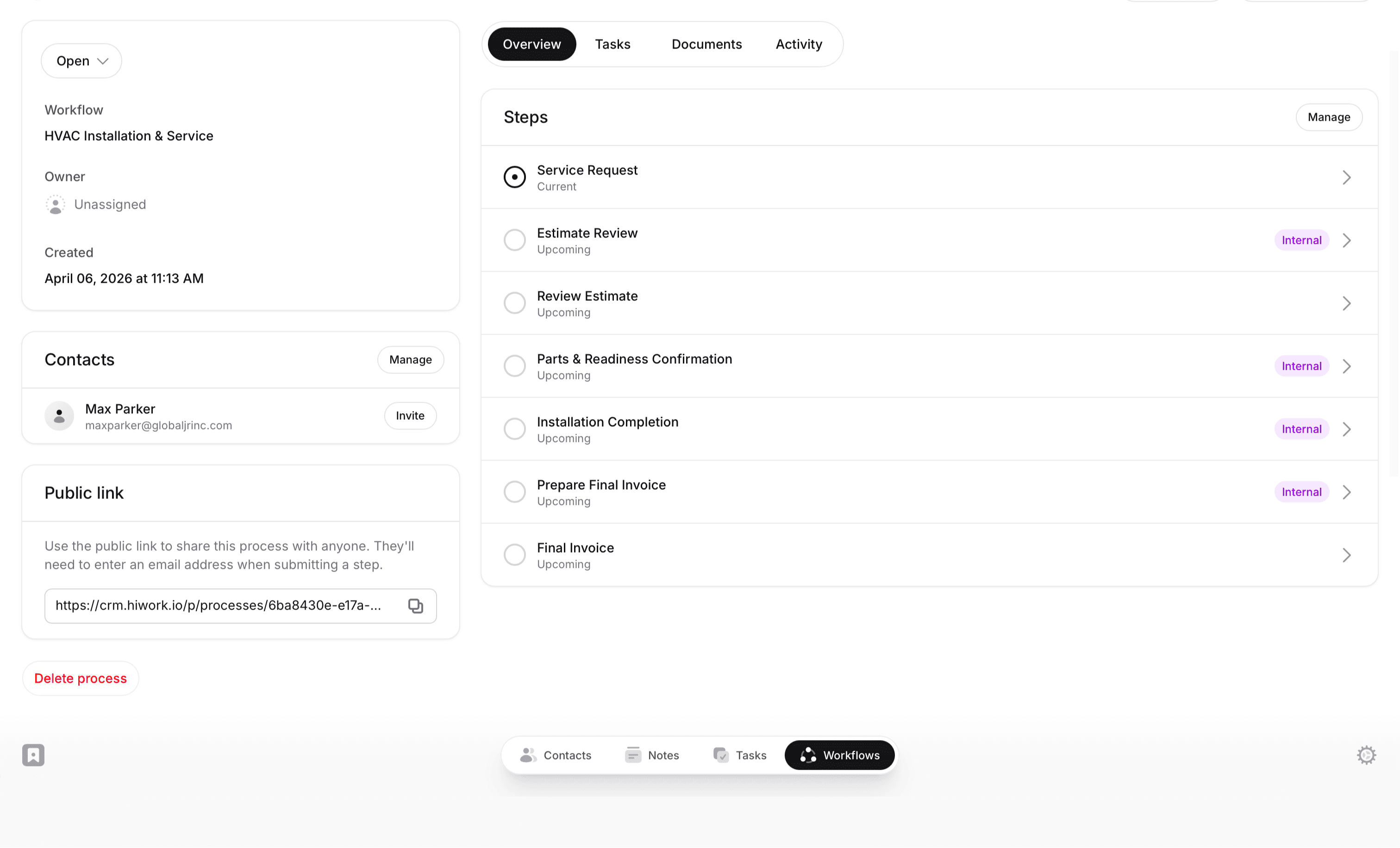
Each stage is clearly defined, so your team never has to guess where a job stands or what the next step is.
Keep estimates and approvals moving
Internal reviews and client approvals happen at defined checkpoints, not in a back-and-forth text chain.

WORKFLOWS
Use a template or start fresh
Start with a template, customize it to match your process, or build your own from the ground up.
Add fields and owners
Collect the information you need at each step. Define who's responsible for reviews and decisions.
Run processes with full visibility
Each job moves through with full visibility. See status, history, and next actions at a glance.
PLATFORM
Build exactly what you need:
WHY HIWORK?

Office Managers
Know exactly where every job stands. Assign, review, and track from intake to invoice.

Technicians & Field Teams
See what's assigned, what's approved, and what needs to happen next.

Owners & Partners
Every job has a paper trail. Estimates, work completed, invoices sent, all documented.
HiWork is engineered with industry best practices. Security and privacy are a core feature.
FEATURES
Client self-serve intake forms
Collect equipment details, job description, and photos before the first call, so every request starts with the context your team needs.
Keep approvals moving forward
Add review checkpoints before work begins, so estimates, pricing, and decisions are confirmed before the job moves forward.
Centralized client workspace
Photos, equipment notes, permits, parts lists, and final invoice documents sit alongside workflow steps and decisions.
Progress tracking and client visibility
View the job's status and what's the next step, while clients check the progress through a client portal.
FAQs
What is HiWork?
HiWork is a workflow platform. It's built for service teams that have outgrown spreadsheets and group chats but don't need complex enterprise field service software. You get structured steps, approvals, and visibility without the overhead.
Can I customize stages for different job types?
Yes. Create separate workflows for installations, repairs, maintenance contracts, or anything else. Each workflow has its own stages, required information, and approval steps.
Can clients submit information or sign off on estimates?
Yes. You can share a public link so clients submit their service request or review an estimate directly. Their submission moves the job to the next step automatically.
How do approvals work?
Each step can include approval logic. Reviewers approve, reject, or request changes. Decisions move the job forward, back, or down a different path, with a full record of what happened and why.
Does HiWork replace my HVAC dispatch or scheduling software?
No. HiWork doesn’t replace your dispatch or scheduling tools. It adds structure to the process around your jobs, including service requests, estimates, approvals, and documentation. Nothing gets missed as work moves forward. Instead of tracking jobs across calls, messages, and spreadsheets, each job follows a clear set of steps. Information is captured as the work progresses, decisions are reviewed before moving forward, and everything stays connected to the job from start to finish. This gives your team a consistent way to manage work beyond scheduling, so every request turns into a completed, documented job.
Is HiWork only for HVAC companies?
HVAC is just one example. Companies use HiWork to manage any process that involves moving people or information through steps, collecting documents, and getting approvals.